# Card
Card combines the image and text components. While image is the central element of the card component, text is used as the image caption. You can also configure image and caption's mutual arrangement and the whole card behavior. All these options compose the card's properties.
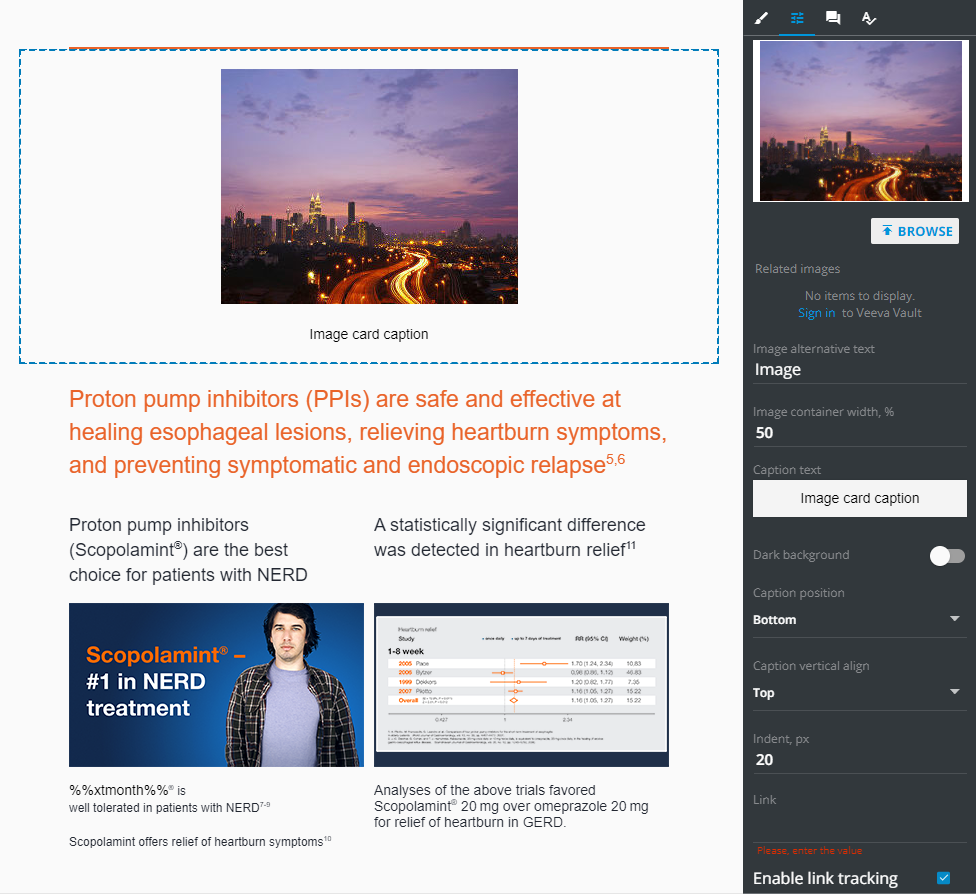
| Control | Action |
|---|---|
BROWSE | Select the image on your device, the Vault storage, or in the Assets tab |
Image alternative text | Type the text to be shown when the image isn't displayed |
Image container width | Specify the space within the card for the image part, in per cent |
Caption text | Specify the image caption text. Once you click this option, the text editor appears |
Caption position | Locate the caption text relating toward the image |
Caption vertical align | Locate the caption within its container vertically |
Indent, px | Locate the caption text horizontally, in pixels |
Link | Specify the link to redirect email recipient once they click the card |
Enable link tracking | Activate logging of the card clicks |