# Troubleshooting
We're doing our best to create eWizard with a user-friendly interface and easy-to-follow processes. However, due to eWizard's functionality richness, it can be a little puzzling. So we've created the Troubleshooting section to cover all your questions that may occur in your work.
# New item
? The converted e-Detailer is very slow
Try optimizing images in your PDF file.
? e-Detailer conversion fails
Make sure your PDF meets the requirements.
? The images of the converted PPTX presentation are low-quality
Make sure your PPTX file meets the requirements.
# Editor
? I can't add video on the item layout
Make sure the file size doesn't exceed 250 MB.
Check if your video file format is supported by eWizard.
? I can't find the component I've just added
In e-Detailers, new components are placed on the bottom slide layer. Access it with Tree and move the desired component higher.
? Essential shortcuts don't work in Editor
Make sure the shortcuts are properly configured in your OS. The default shortcuts currently supported by Editor are as follows:
| Action | Mac OS shortcuts | Windows OS shortcuts |
|---|---|---|
| Undo | Command+Z | Ctrl+Z |
| Redo | Shift+Command+Z | Ctrl+Y |
| Copy | Command+C | Ctrl+C |
| Paste | Option+Shift+Command+V | Ctrl+V |
| Paste without formatting | Shift+Command+V | Ctrl+Shift+V |
? I can't find the Monitoring tab to activate KPI collection
Check whether the KPI collection feature is applicable to the component you're trying to monitor.
? I can't select and move a complex component block in Editor
eWizard Classic Editor recommends using the frame border around the complex component for this purpose. Hover the mouse over the component's block border (the cursor appearance must take the shape of the move arrow icon  ) and move the block:
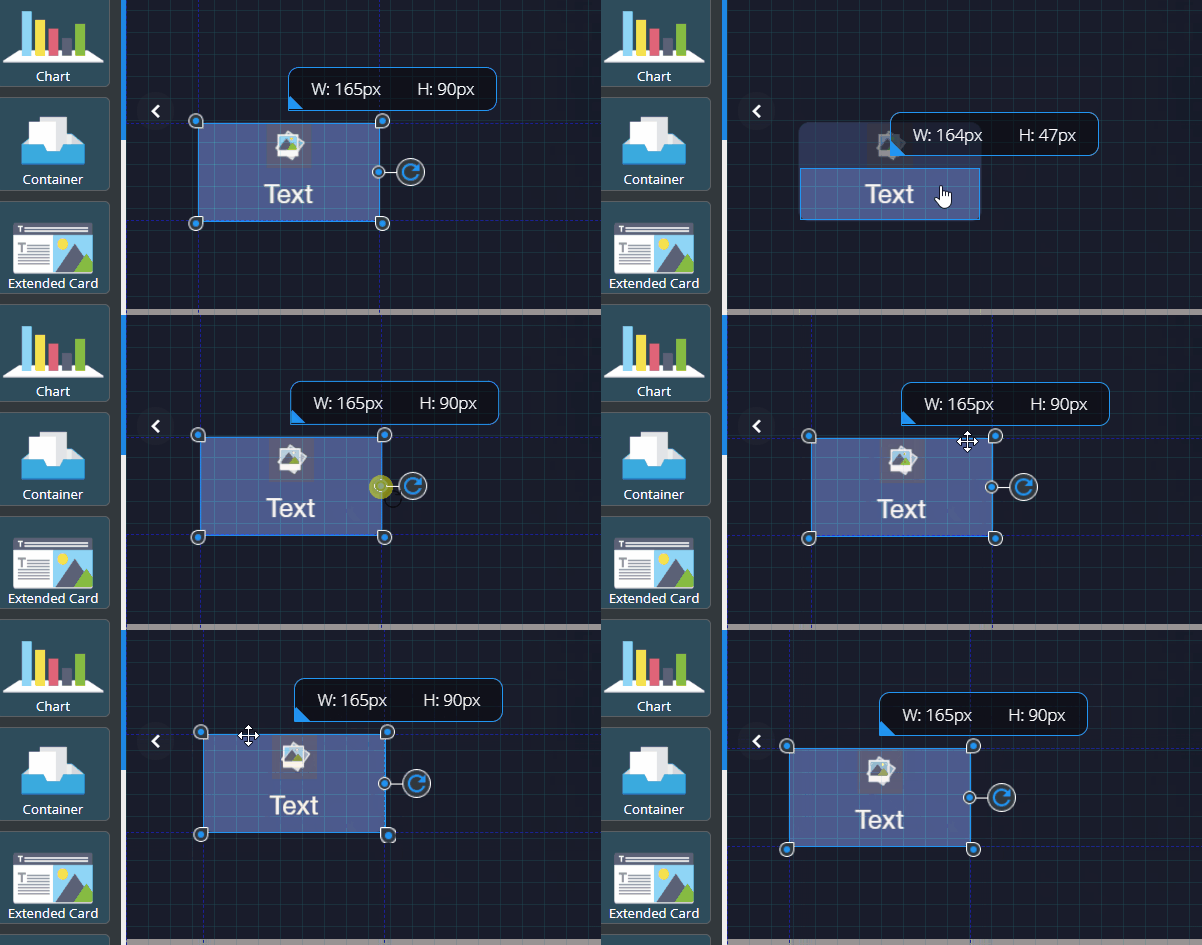
? I can't delete a component in Editor with the delete key on my MacBook
Make sure you're simultaneously holding the fn and delete keys (this works for the default settings of your MacBook only).
# Font support
? What font types can I use in eWizard Editor?
You can use web-safe and custom fonts.
? I want to use a specific font that's missing in eWizard Editor
Address your Server license on this font to eWizard Support.
? My email appears in a different font on the target devices and in email clients
Your email is displayed on the target device using a fallback font.
? I want to check my email display on different target devices and in email clients
You can run Send a test or Device simulator for these purposes.
? After the e-Detailer localization process is complete, the texts of the resulting e-Detailer are displayed in a different font
The font applied to the original e-Detailer doesn't support the language used for localization. You can select any other suitable font available in the WYSIWYG editor. Or address your request to eWizard Support.
? I've exported my email as PDF. The resulting file contains inappropriate text styles
eWizard doesn't support the font applied. You can select any other suitable font available in the WYSIWYG editor. Or address your request to eWizard Support.
? I need to use a font that displays the Japanese language correctly
Select Noto Sans JP from the font list in Editor. To check the font applied to your email, use the Send a test or Device simulator options in email Editor.
# NaviGate Converter
? The conversion of a Veeva Vault document fails
Check your inbox for the email with the conversion failure reasons. One of them can be the unsupported merge tags in the Veeva Vault document. You can replace these merge tags with valid values or remove them from the document. For any assistance, address your request to eWizard Support.
# Publisher
? I can't select some field values during publishing
Make sure the field dependencies are kept during publishing. When in doubt, ask the administrator for field dependencies information.
Check with your administrator if there's no status conflict or if your item hasn't been previously published to Veeva Vault. Please note that item update through publication can be performed not in all statuses.
# Localization
? A translator cannot access the e-Detailer sent for localization
Check whether you protected the link with a password. If so, send the password to the translator. Read more on e-Detailer localization here.
← FAQ Error messages →