# Access Veeva Vault assets within eWizard
To access Veeva assets from eWizard, you must pass through authentication. The authentication process confirms your identity and checks your user and access permissions to Veeva Vault.
The authentication happens when you click LOG IN at the Veeva authorization page having entered your credentials.
Once the system identifies you, a security token is issued for your session so that you can access Veeva assets available for you in Veeva.
The authentication process can be implemented with SSO technology. More details on SSO authentication can be found here.
Authenticated users can add Veeva assets to eWizard content. It is available in the Image editor.
eWizard Veeva Assets service features search and filtering options. All interactions between eWizard and Veeva point to REST API provided by Veeva.
To make API calls against Vault, you need a Vault user account with API access. This profile allows access, events, and metadata permissions.
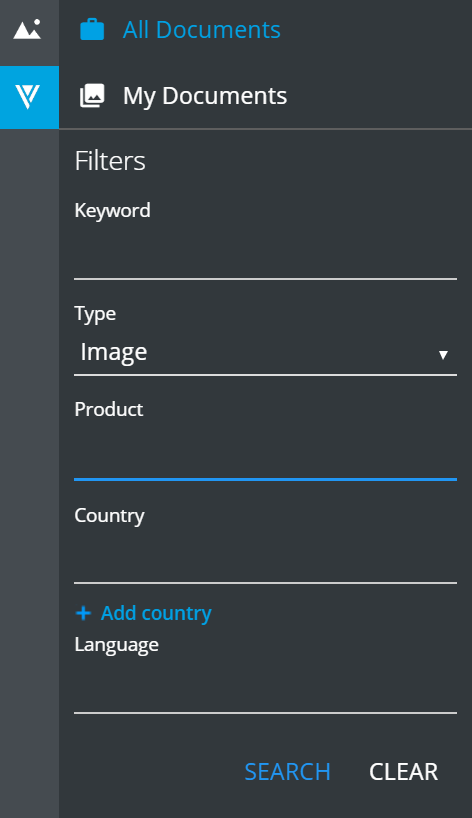
The search is based on Veeva document fields. Some of them are filled out automatically (like id; they are hidden from the user interface), while others are filled out manually (for example, the Name field) and can be optional.
Both system-managed and manually populated fields are the document's metadata. These metadata are available in the Editor interface so that you can filter the search results in eWizard:
Read the detailed Veeva REST API Guide (opens new window) for more information.